QuickBooks Desktop → Cloud Sync
Your QuickBooks data, available anywhere — automatically.
QBWebSync connects QuickBooks Desktop to a secure web portal in real time. No manual exports, no remote desktop, no IT headaches — just your customers, invoices, bills and reports, always up to date and reachable from any browser.
Everything in QuickBooks Desktop, working in the cloud.
Your company file never leaves your PC. A lightweight agent mirrors it to a secure, multi-user portal — and writes your edits back to QuickBooks automatically.
True two-way sync
Create or edit customers, vendors, items, invoices, payments and bills in the portal — changes flow back to QuickBooks, with echo suppression and conflict detection so nothing double-posts.
Real-time auto-sync
Portal changes are queued and posted to QuickBooks within seconds, and you can pull the latest from QuickBooks any time. Watermarks and a deletion sweep keep both sides reconciled — no scheduled exports to babysit.
Live financial reports
Profit & Loss, Balance Sheet, A/R & A/P Aging, Customer & Vendor balances and QuickReports — pulled live from QuickBooks and exportable to Excel, PDF or print.
Multi-company, multi-user
Manage several company files and give your whole team role-based access. Bookkeepers, owners and accountants all work from the same live data — from anywhere.
Bank-grade security
Encrypted transport, tenant-isolated data and credentials that never leave your control. The agent connects out — no inbound ports opened on your network.
No remote desktop, no IT
Skip clunky hosting and RDP sessions. Install a self-contained agent in minutes on the PC that runs QuickBooks — that's the entire setup.
AI that does the typing. You stay in control.
Two AI helpers built into the portal, working on your synced QuickBooks Desktop data. They suggest and answer — a person always reviews and clicks Save.
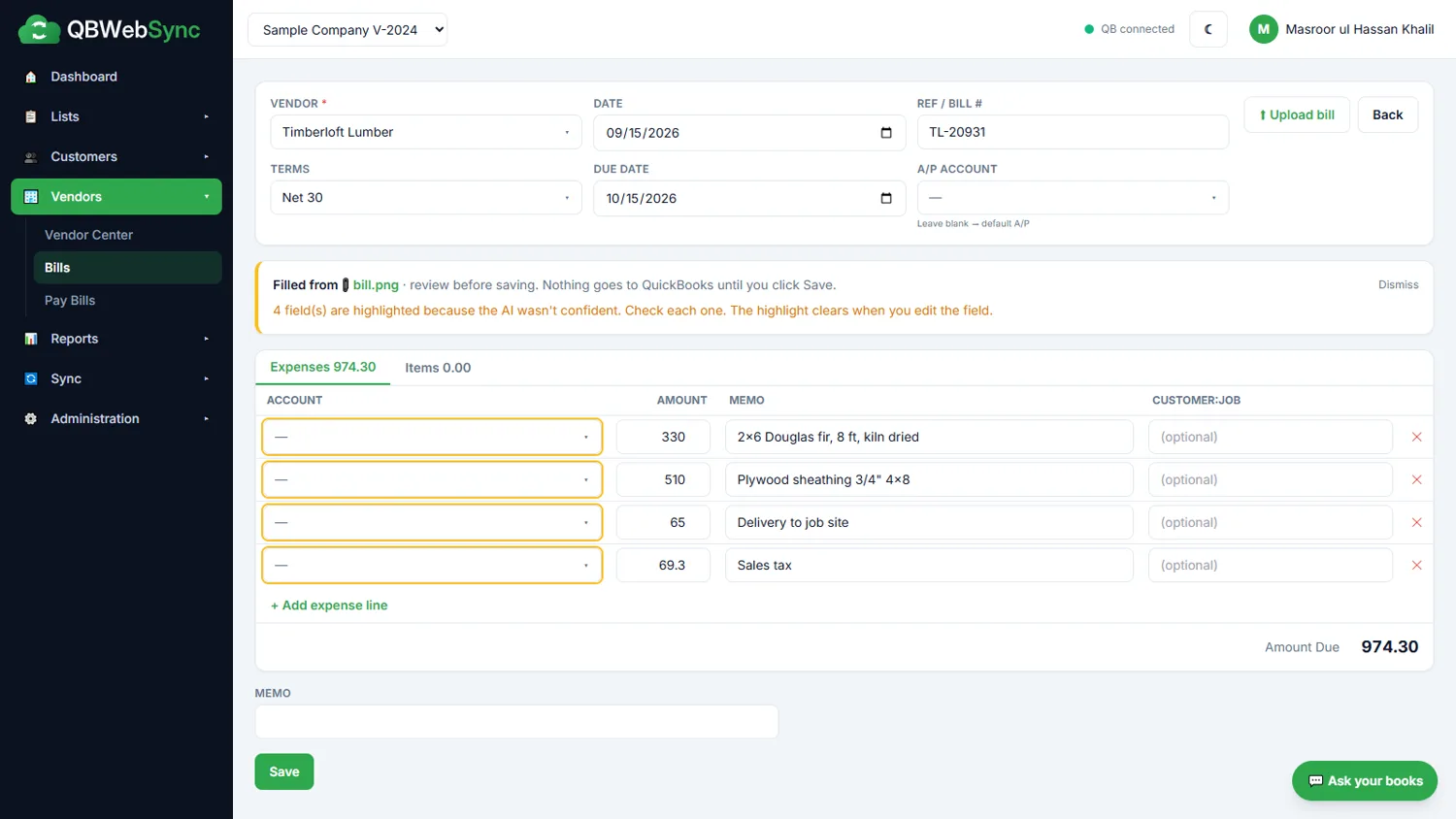
Snap a bill. It fills itself in.
Upload a PDF or photo of any vendor bill. QBWebSync reads the vendor, bill number, dates, terms, line items and tax, and fills in Enter Bills for you — matched to your existing vendors and the accounts you used before.
- Anything uncertain is highlighted for a quick check
- Warns you if the lines don't add up to the bill total
- Nothing reaches QuickBooks until you click Save; the original bill stays attached
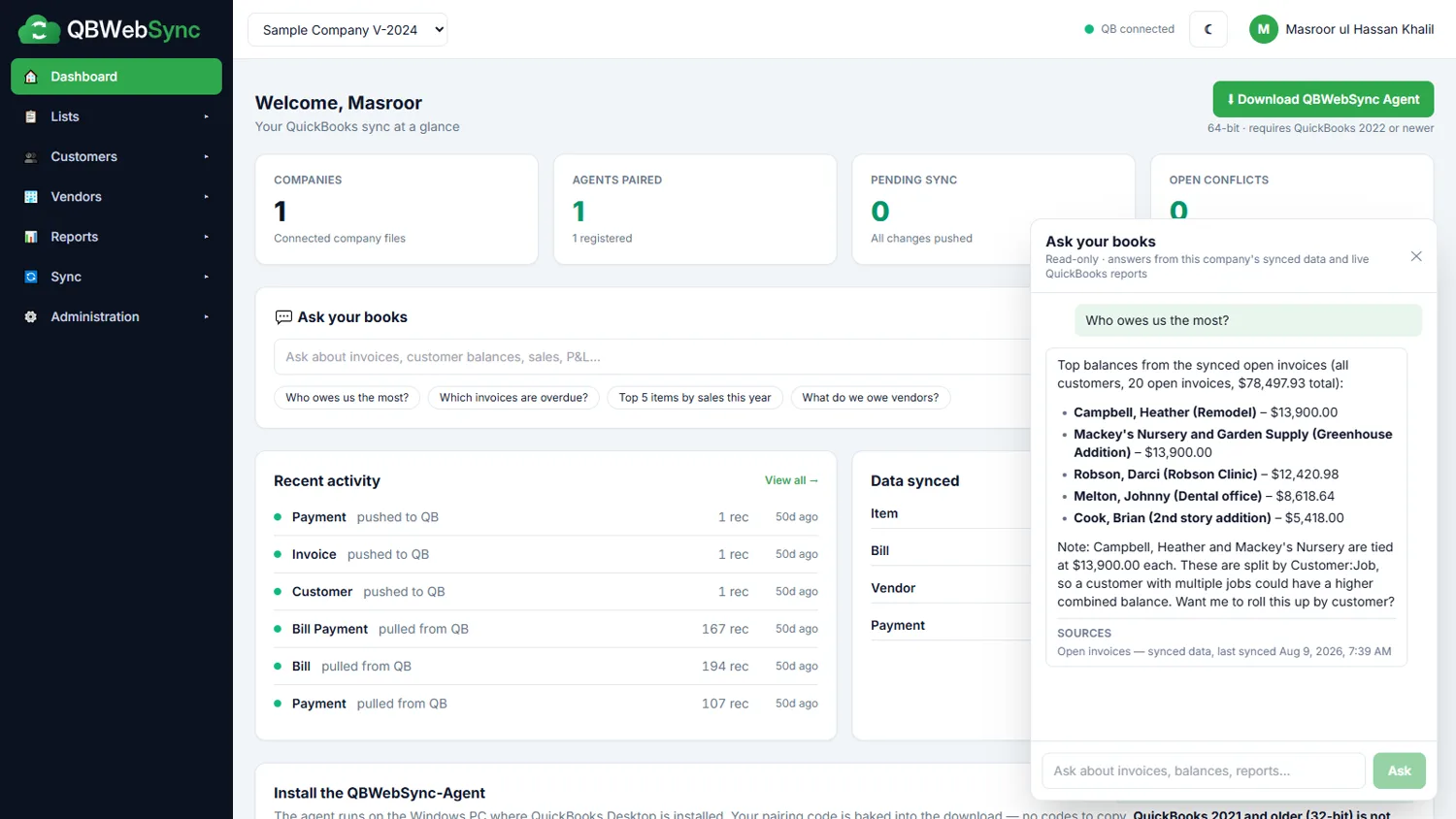
Ask your books anything.
"Who owes us the most?" "Which invoices are overdue?" "Top items by sales this year?" Type a question in plain English and get a straight answer from your own QuickBooks data.
- Every answer shows its sources and when the data last synced
- Live P&L, Balance Sheet and aging reports when you need them
- Read-only — if the data isn't synced, it says so instead of guessing
AI never changes QuickBooks by itself. Each company's data stays separate, every AI request is logged, and your admin can turn the features off at any time. Bill documents and questions are processed by our AI providers (Groq and Google Gemini) — see our Privacy Policy.
From desktop to cloud in three steps.
Most teams are up and running in under ten minutes. No servers to configure, no company file to move.
Install the agent
Download the self-contained QBWebSync agent and run the installer on the PC where QuickBooks Desktop lives. It bundles everything it needs — no Node, no dependencies.
Pair your company file
Approve the one-time connection in QuickBooks and pick your company file. The agent pairs to your portal over a secure outbound link.
Work from anywhere
Your data syncs automatically. Open the portal from any browser to view lists, create transactions and run reports — all mirrored back to QuickBooks.
A familiar QuickBooks layout, reimagined for the web.
Every screen mirrors the QuickBooks desktop window you already know — Customer & Vendor centers, item lists, transactions and a dedicated sync dashboard.
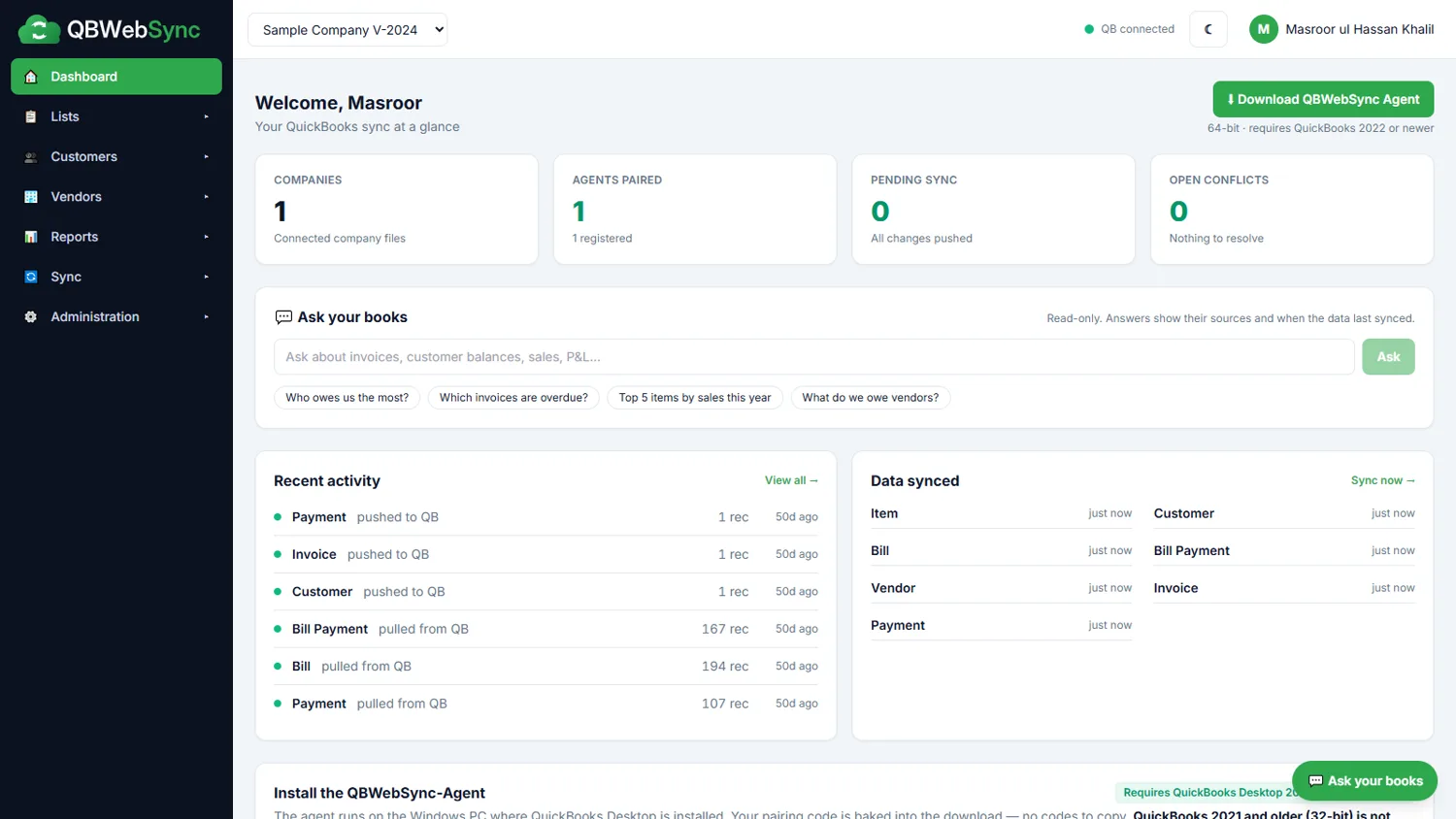
One dashboard for every company file
See sync status at a glance, jump into any list, ask your books a question, and know exactly when data last moved between QuickBooks and the cloud.
- Live sync state per entity
- Switch companies in one click
- Queue, runs and conflicts in view
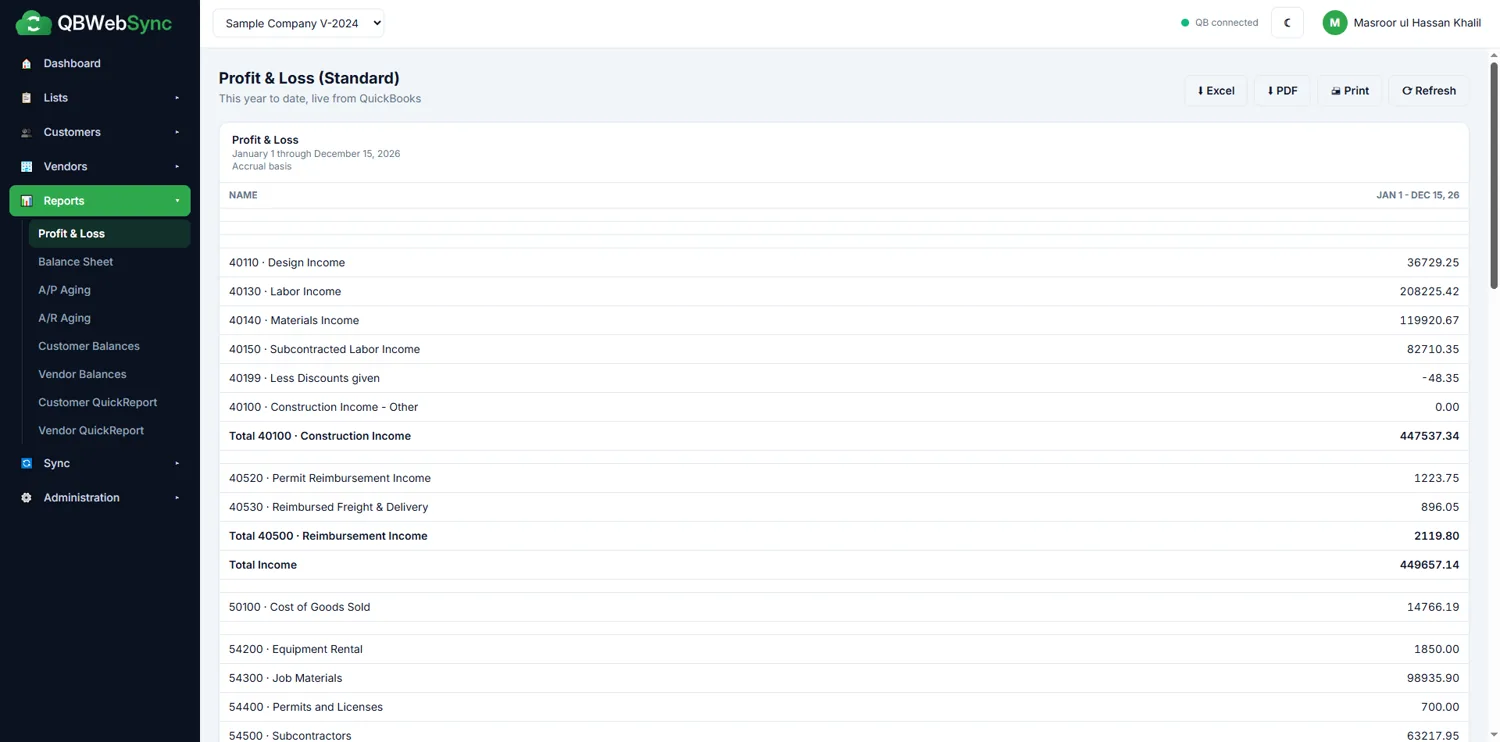
Real QuickBooks reports, live in your browser
Run a Profit & Loss, Balance Sheet or Aging report straight from QuickBooks — then export to Excel, save as PDF, or print. Numbers are pulled fresh, never stale copies.
- P&L, Balance Sheet & Trial-ready detail
- A/R & A/P Aging, Customer & Vendor balances
- Excel / PDF / Print export on every report
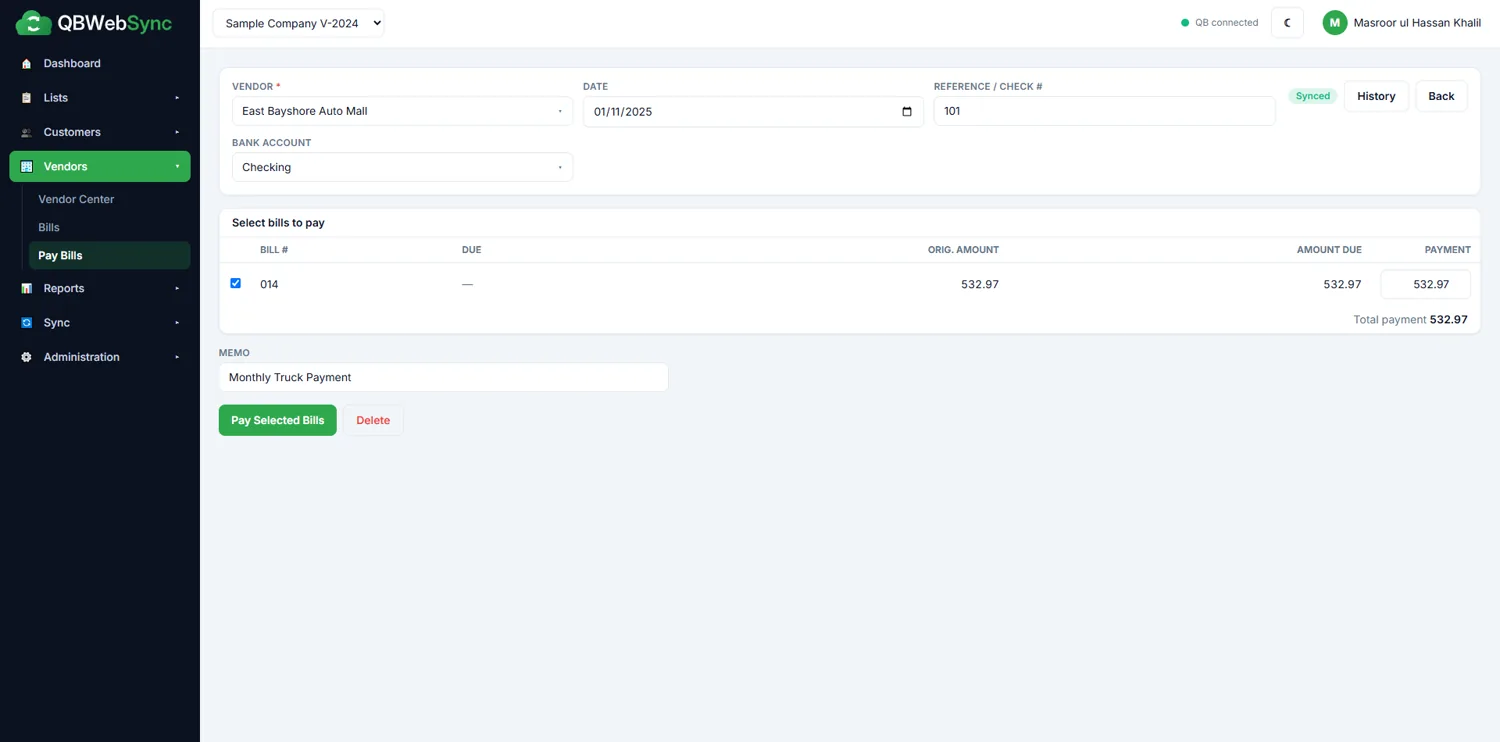
Enter bills & pay them — it all flows back
Record expense- or item-based bills, apply payments, and watch each transaction post to QuickBooks on the next sync, with a full audit trail and conflict handling.
- Bills, Pay Bills & bill-payment checks
- Over-payment guardrails built in
- Every change tracked and reversible
See a full sync in about two minutes.
From installing the agent to running a live Profit & Loss — the whole workflow, start to finish.
Simple plans that scale with your books.
Start with a free demo. Upgrade when you're ready — every plan includes two-way sync and the full report suite.
- 1 company file
- 2 users
- Two-way sync + all reports
- Up to 3 company files
- 10 users, role-based access
- Priority sync & support
- Unlimited company files
- Unlimited users
- Dedicated onboarding
Illustrative pricing — set your real plans in WordPress before publishing.
Everything you might ask before switching.
Does QBWebSync move my company file to the cloud?
Which versions of QuickBooks are supported?
Is it really two-way?
How often does it sync?
Do I need to open ports or use remote desktop?
Is my data secure?
What do the AI features do?
Can the AI change my QuickBooks data?
Where does my data go when I use AI, and can I turn it off?
Let's talk QuickBooks.
No credit card, no pushy sales calls. Just a real look at how QBWebSync connects your QuickBooks Desktop data to the cloud — with your own file, if you like.
-
Live demo with your own data
See your real company file in the portal. -
Free download to test
Try the agent in your own environment. -
Hands-on setup help
Our team gets you paired and syncing. -
Reply within 1 business day
A real person, not an auto-responder.
Send us a message
We reply within 1 business day.
Answered by a real person on our team — usually within a few hours.
Message sent — thank you!
We've received your message and will reply within 1 business day. For anything urgent, email info@qbwebsync.com.
Put your QuickBooks data to work — anywhere.
Start a free demo today and see your live company data in the cloud in minutes. No credit card, no remote desktop, no risk to your file.